
Why can't staff find things on the intranet?
News people read, one home for every policy, and how-to guides named after the task. Here's how we set up each one, and the search and upkeep that hold it together.
Related: Intranet discovery & IA · Intranets

If you run comms or HR on SharePoint, you've probably heard it: "I can't find anything on the intranet." Usually the content is there. The problem is that people can't tell where to look, or which version to trust.
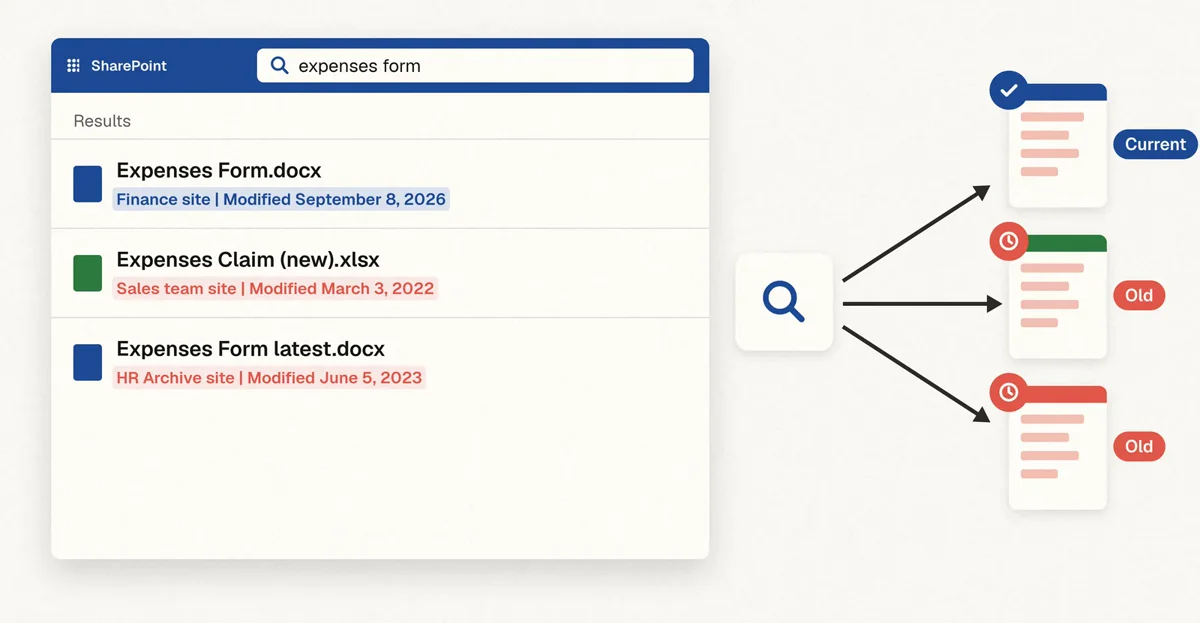
Someone goes to the intranet and searches for "expenses form". Three results come up. One is current. The other two are old, and the old ones have names like "Expenses Claim (new)" and "Expenses Form latest". Only the dates give it away.
So people give up and ask a colleague. That's quick for them, but it takes up the colleague's time, and often the colleague just runs the same search. The wrong answer travels just as fast as the right one.
A good SharePoint intranet fixes this by making the right answer the easy one to find. That matters most for three kinds of content: news, policies, and how-to guides.
News people can see is current
The homepage is where staff decide whether the intranet is worth their time. They look at whether it seems professional and up to date.
News works when each story is short, has a date, and comes from a named team. Then people can see it's current, and who to ask. It also helps when the homepage looks like your organization. Staff take an intranet more seriously when it looks as credible as your public website. Our law firm intranet design shows what that can look like.
One page and one owner for each policy
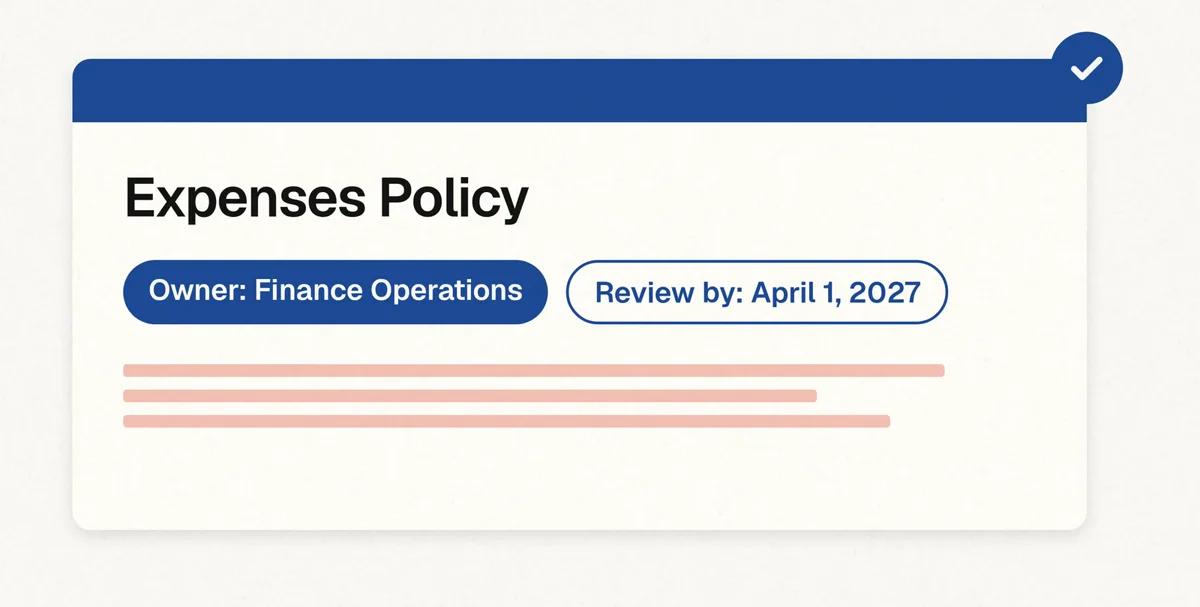
In our experience, policies are where intranets usually go wrong. Old copies never quite go away. Someone saves one to their team site, someone else emails it round, and a year later there are three.
So a good intranet keeps each policy in one place: one page, with one owner and a review date. When the policy changes, the owner updates that page, and the old version comes down. Everywhere else on the intranet links to that page instead of holding its own copy. That way, the menus and search always lead to the current version.
Policies also need an expiry workflow. We set one up so that when the review date comes round, the owner gets a reminder to confirm the policy, update it, or retire it. So a policy doesn't sit there out of date just because nobody remembered to check it.
How-to guides grouped by topic and named by task
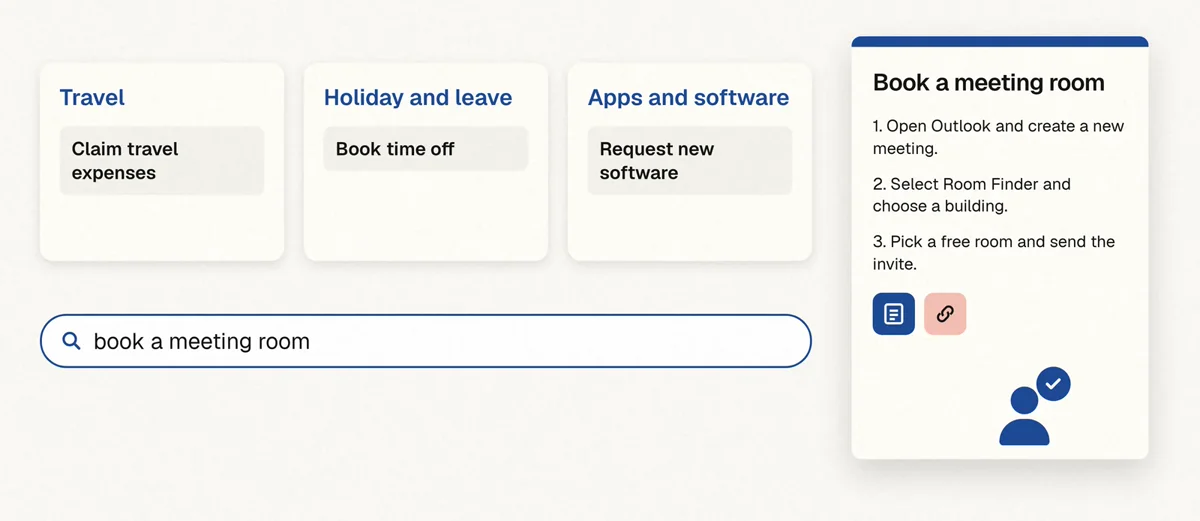
How-to guides are what staff use most while they're working. Organize them by topic, like travel, holiday and leave, or apps and software, not by the team that owns them. Someone who joined yesterday shouldn't need to know who runs a process to find the guide.
Then give each guide a plain task name, such as "Book time off", "Request new software", or "Claim travel expenses". Keep the steps short, put the form or the link right where it's needed, and give every guide an owner who checks it still works.
How do you make SharePoint search find the right page?
People type what they're thinking, not what the page is called. So page titles need to use the words staff use. If everyone searches for "new laptop", don't call the page "End-user hardware provisioning". Call it "Request a new laptop", and put the formal words in the page text.
Words also change from place to place. One office says "pay stub", another says "payslip". We put the other words in the page text. For the pages people look for most, we also add them as keywords on a Microsoft Search bookmark, so search finds the page whichever word someone types. We also use bookmarks to pin the handful of things people look for every week, like the expenses form or the IT help page, to the top of the results.
A little metadata helps too. Don't go overboard with tags, because people won't fill them in. A few simple tags, and content types like policy, guide, or form, tell search what kind of content something is and what it relates to. That makes it easier to find, and it helps AI agents pick the right document and answer more accurately.
For a deeper look at search and navigation, read how to help staff find anything in five minutes.
How do you keep a SharePoint intranet current?
An intranet is only as good as its oldest page. So every section needs someone who looks after it, and a simple routine:
- Check your pages every few months.
- Take down what's out of date.
- Tell the intranet team when something big changes.
Comms and HR can run that themselves, with a short guide, without waiting on IT. We add the page owner and a "last reviewed" date to each page as part of our build, so staff can see who to ask. With owners and a routine in place, the intranet stays as useful in two years as it is at launch.
The structure behind it all
Behind news, policies, and guides sits a clear structure. Sites, menus, and search should follow how your staff think about their work, not how the org chart is drawn. That's the part people don't see, and it's what makes everything else findable. Our SharePoint intranet design page explains how we work that out with your staff.
If your organization is thinking about Microsoft Copilot, this work helps there too. When there's only one version of each policy, there's only one version for Copilot to quote.
Want staff to find the current version first time?
We have 25 years of SharePoint intranet experience. See how we design and build SharePoint intranets, from research with your staff to launch.
Ready to improve the employee experience? Contact us
Keep exploring
Related
FAQ
What makes a SharePoint intranet easy to find things in?
Three kinds of content set up well: short, dated news from named teams; one page and one owner for each policy; and how-to guides grouped by topic and named by task. Page titles that use the words staff type, and a clear structure behind it, do the rest.
Why do staff find old versions of policies and forms?
Copies spread. Someone saves a policy to a team site or emails it round, and search then returns every copy. Keeping one page per policy, with an owner who takes the old version down, means search leads to the current one.
Should how-to guides be organized by department?
No. Group them by topic, like travel, holiday and leave, or apps and software, so a new starter can find a guide without knowing which team runs the process.
Do we need lots of tags and metadata?
No. A few simple tags and content types like policy, guide, or form are enough. Long tag lists don't get filled in.
Who keeps the intranet up to date after launch?
Named owners for each section, following a short routine: check pages every few months, take down what's out of date, and tell the intranet team about big changes. Comms and HR can run it without waiting on IT.
Keep exploring intranet discovery
Read more guides on the topic hub, or talk to us about a SharePoint intranet design and build.