
What's new in Copilot in SharePoint (October 2026)
Skills, rules, HTML pages, Autofill, and what uses Copilot Credits. This post covers what each one does, what's still to come, and what to check first.
Related: Intranet discovery & IA · Intranets

If you run a SharePoint intranet or look after Microsoft 365, what's new in Copilot in SharePoint? Copilot in SharePoint is now rolling out as generally available. Microsoft started the rollout on September 30, 2026. It brings skills, rules in document libraries, Autofill for metadata, and, later, HTML pages. Some of it is included with a Copilot license and some of it uses Copilot Credits.
Features arrive in each organization as the rollout reaches it. So what you see on your own sites may not match this post yet.
Ask, find, catch up, and create
The everyday part is the Copilot pane on a SharePoint site. In that pane, people can ask questions, find content, and catch up on what's changed.
Copilot can also create files, including Word, Excel, PowerPoint, and HTML files. It can create and edit pages, lists, and libraries too. For example, someone can ask Copilot to create a list to track project risks, and the list appears in the site.
Skills: saved instructions for tasks you repeat
A skill is a set of saved instructions that Copilot follows for a task you repeat. For example, a skill could check a news page for headings, alt text, and an owner.
There are two kinds of skill. Personal skills belong to one person and work across sites. A site admin owns site skills, which work on one site. You create a skill by asking Copilot in the chat pane.
Skills have limits. They can't call outside systems or run custom code. They never go beyond what the person using them is allowed to see.
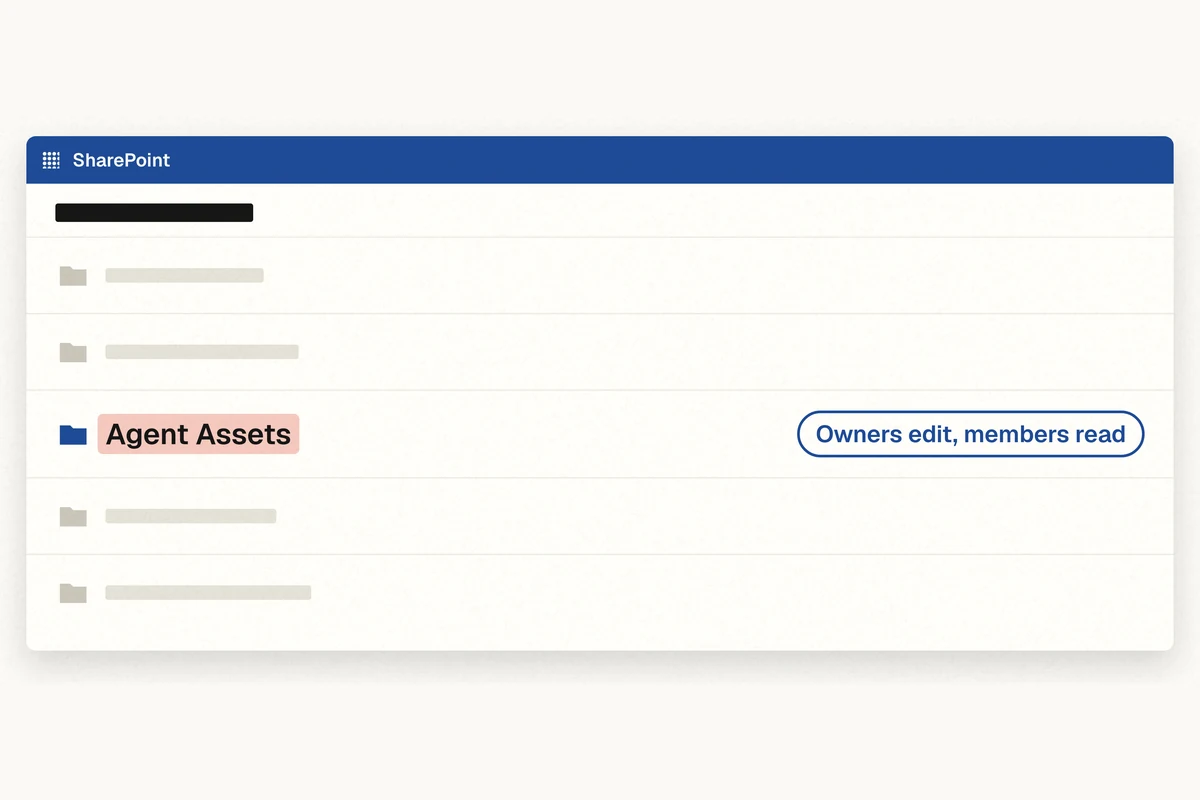
Site skills are stored in the site, in a library called Agent Assets. By default, anyone who can edit the site can create a site skill. That's why it's worth deciding who can edit the Agent Assets library.
Rules in document libraries
You can describe a rule to Copilot in plain words. A rule starts when an item is created, changed, or deleted. It can then send an email, move or copy the file, or set a value. A library can have up to fifteen rules.
For example, you could tell Copilot: "When a file is added to this library, email Sam in HR." Copilot sets up a rule with a trigger and an action.
Rules can't yet start when a date gets close. So if you want a reminder when a policy is due for review, you still need a Power Automate flow for now.
HTML pages, planned for October 2026
Microsoft plans to make HTML pages generally available in October 2026, and organizations in the Microsoft Frontier program may see them first. With HTML pages, a page can be an HTML file, either created with Copilot or uploaded. HTML pages live in the Site Pages library and are edited and published like other pages.
The HTML pages feature is on by default. Site owners can switch it off with the Allow HTML files setting, under File types on the Site Pages command bar.
When HTML pages arrive, we'll treat a page that Copilot makes as a draft. Before publishing it, someone checks it for accessibility and brand. They make sure there are no outside scripts, and they give it a named owner and a review date.
Autofill for metadata
Autofill can fill in metadata on files in a library. Content gets tagged without someone typing every value, such as a topic of "Travel" or a document type of "Policy".
What's included and what uses Copilot Credits

Copilot in SharePoint now aligns with Microsoft's new hybrid billing model, keeping everyday AI capabilities within the Microsoft 365 Copilot license while using standardized Copilot Credits for large-scale and advanced AI tasks.
Some of these features are included with a Copilot license. Bigger or ongoing work uses Copilot Credits, which are billed by usage. Examples include skills that run on a schedule, changes across a whole site, and real-time Autofill.
Your admin needs to set a spending policy for credits. People are asked to confirm before advanced work uses them. What applies to you depends on your licenses, so check before you plan automations.
Copilot UX components, in public preview
This one is for developers. Copilot UX components are in public preview. They let a SharePoint Framework solution show interactive pieces, such as a form or a chart, inside Copilot. They run with the signed-in person's permissions.
Microsoft says not to use Copilot UX components in production yet. For now, we're testing them in our own environment only.
What to do now
- Check your organization's Copilot in SharePoint availability settings before November 1, 2026. That's when the old preview settings stop being honored.
- Decide where HTML pages are allowed.
- Agree who can edit site skills.
- Pilot on a test site before you roll anything out more widely.
Copilot in SharePoint works from your SharePoint content, so the state of that content still matters most. Our post on how to prepare SharePoint for Copilot covers that groundwork.
Want your SharePoint content ready for Copilot?
Talk to us: https://dexy.cloud/contact
Keep exploring
FAQ
Is Copilot in SharePoint generally available?
Copilot in SharePoint is rolling out as generally available. Microsoft started the rollout on September 30, 2026, and features arrive in each organization as the rollout reaches it.
What are skills in Copilot in SharePoint?
A skill is a set of saved instructions that Copilot follows for a task you repeat. Personal skills belong to one person and work across sites. Site skills are owned by a site admin, work on one site, and are stored in the site's Agent Assets library.
Can rules in SharePoint send a reminder when a review date is close?
Not yet. Rules in document libraries start when an item is created, changed, or deleted. For a reminder when a policy is due for review, you still need a Power Automate flow.
Are HTML pages available in SharePoint now?
Microsoft plans to make HTML pages generally available in October 2026, and organizations in the Microsoft Frontier program may see them first. Once available, HTML pages are on by default, and site owners can switch them off with the Allow HTML files setting.
Does Copilot in SharePoint cost extra?
Some features are included with a Copilot license. Bigger or ongoing work, such as skills on a schedule, changes across a whole site, or real-time Autofill, uses Copilot Credits, billed by usage. What applies to you depends on your licenses.
Keep exploring intranet discovery
Read more guides on the topic hub, or talk to us about a SharePoint intranet design and build.