Get your SharePoint content ready for Copilot
If you are preparing SharePoint for Copilot, start with the content. Copilot answers from what your people can already open, including pages nobody has checked in years and sites or files open to everyone in the organization. We build the Dexy Trust Scorecard into your own Microsoft 365. It gives your content a Trust Score out of 100 and gives each page and document a named owner and a review date.
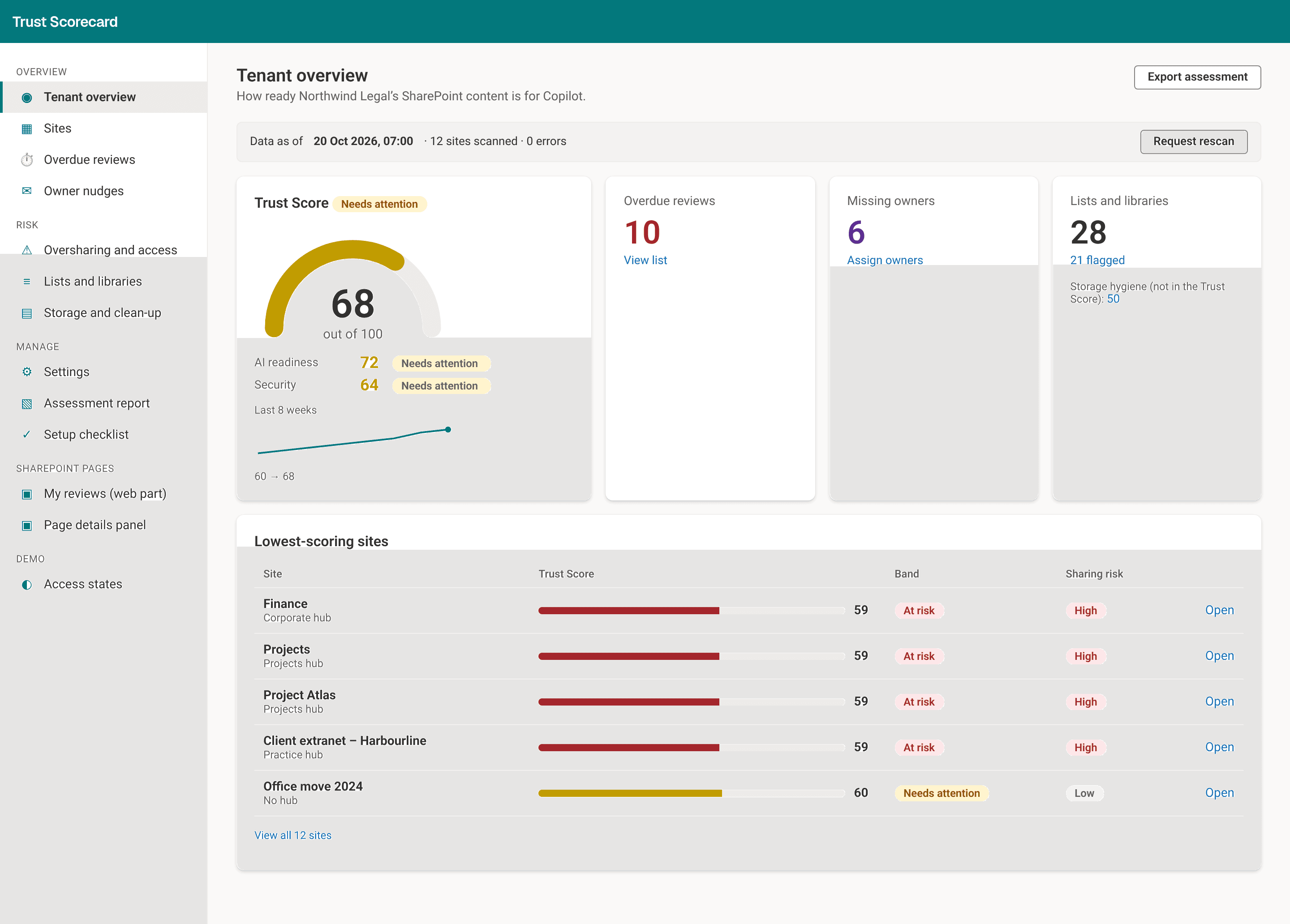
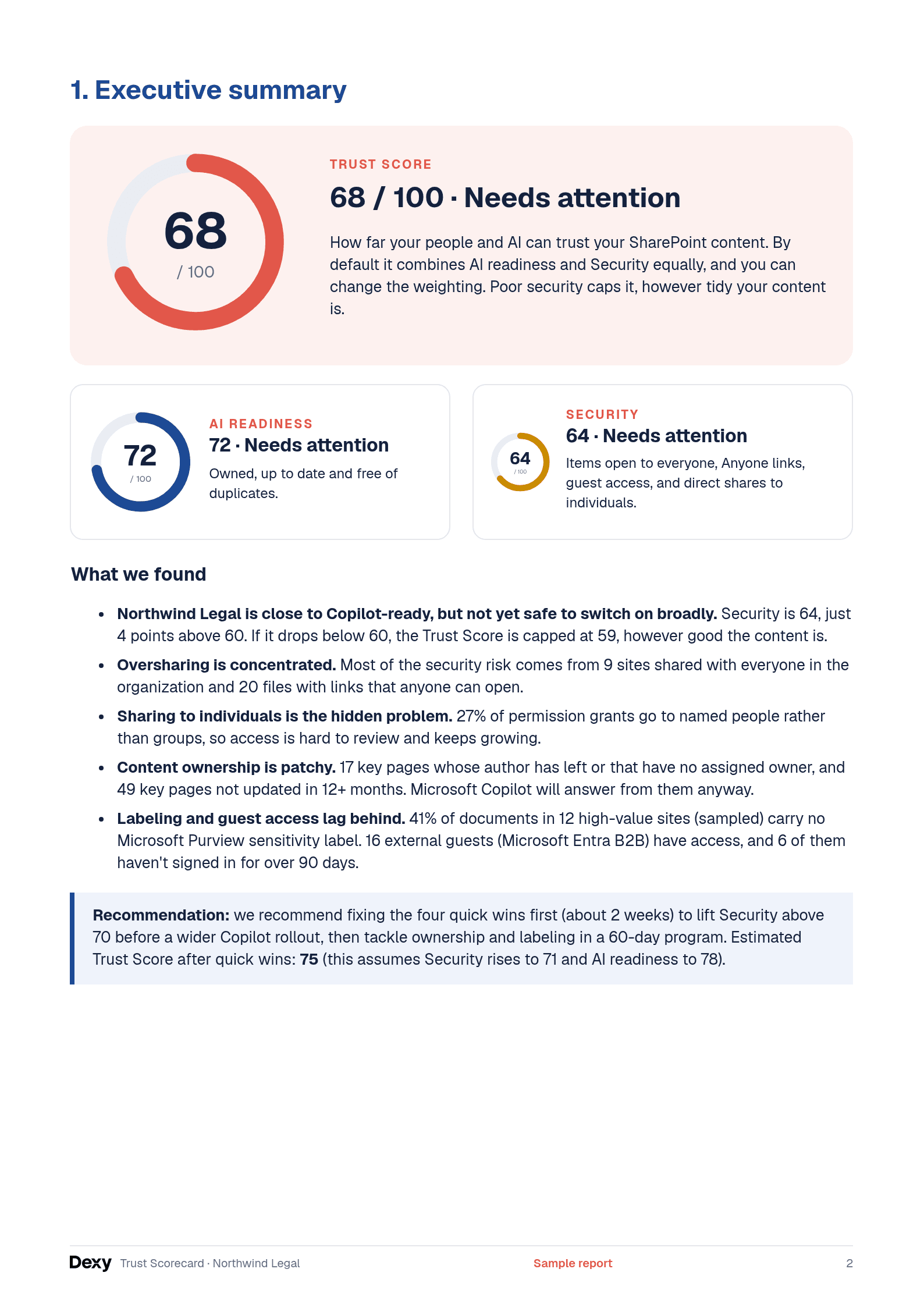
Trust Score
68 / 100 · Needs attention
How far your people and AI can trust your SharePoint content. By default it combines AI readiness and Security equally, and you can change the weighting. Poor security caps it, however tidy your content is.
AI readiness
72 · Needs attention
Owned, up to date and free of duplicates.
Security
64 · Needs attention
Items open to everyone, Anyone links, guest access, and direct shares to individuals.
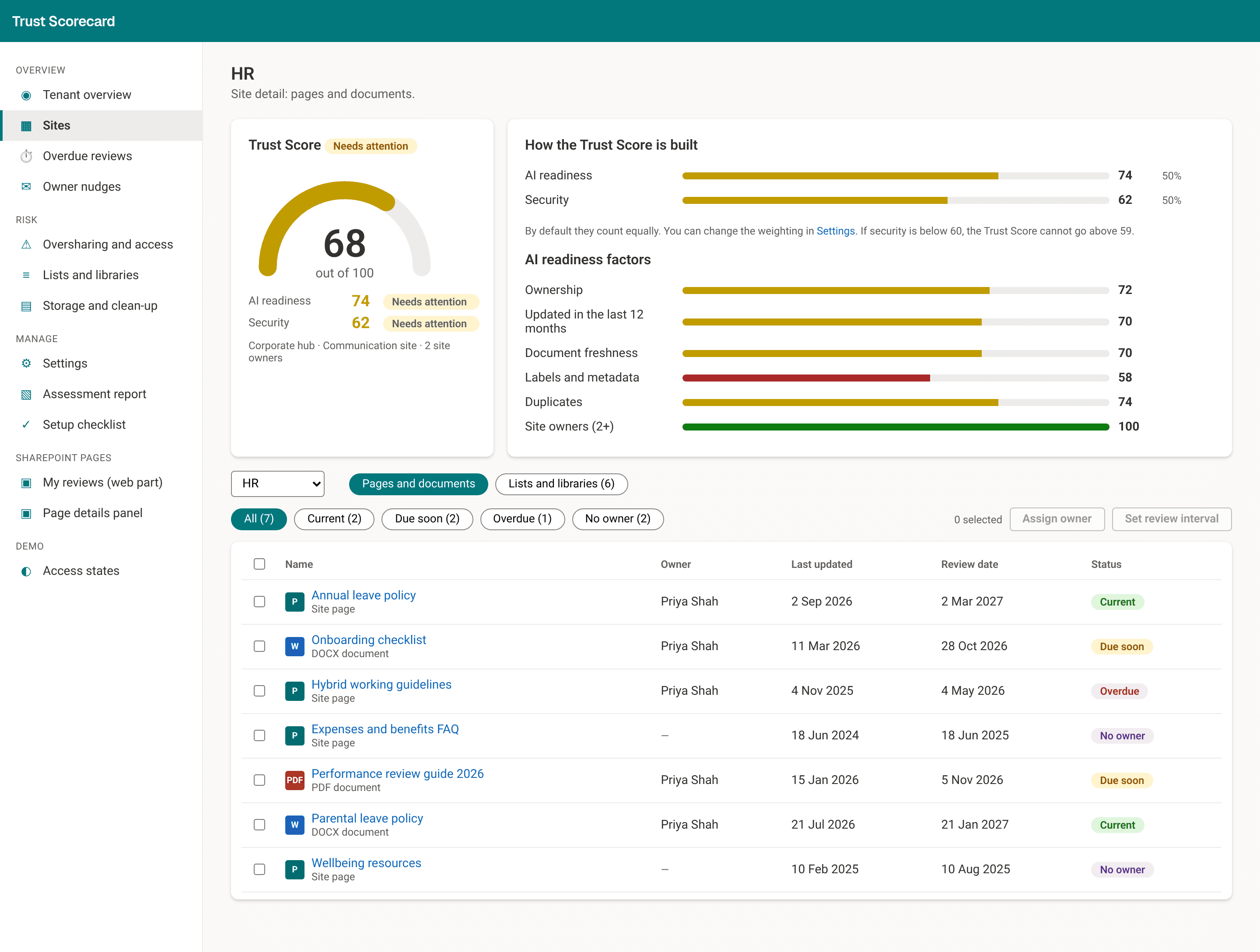
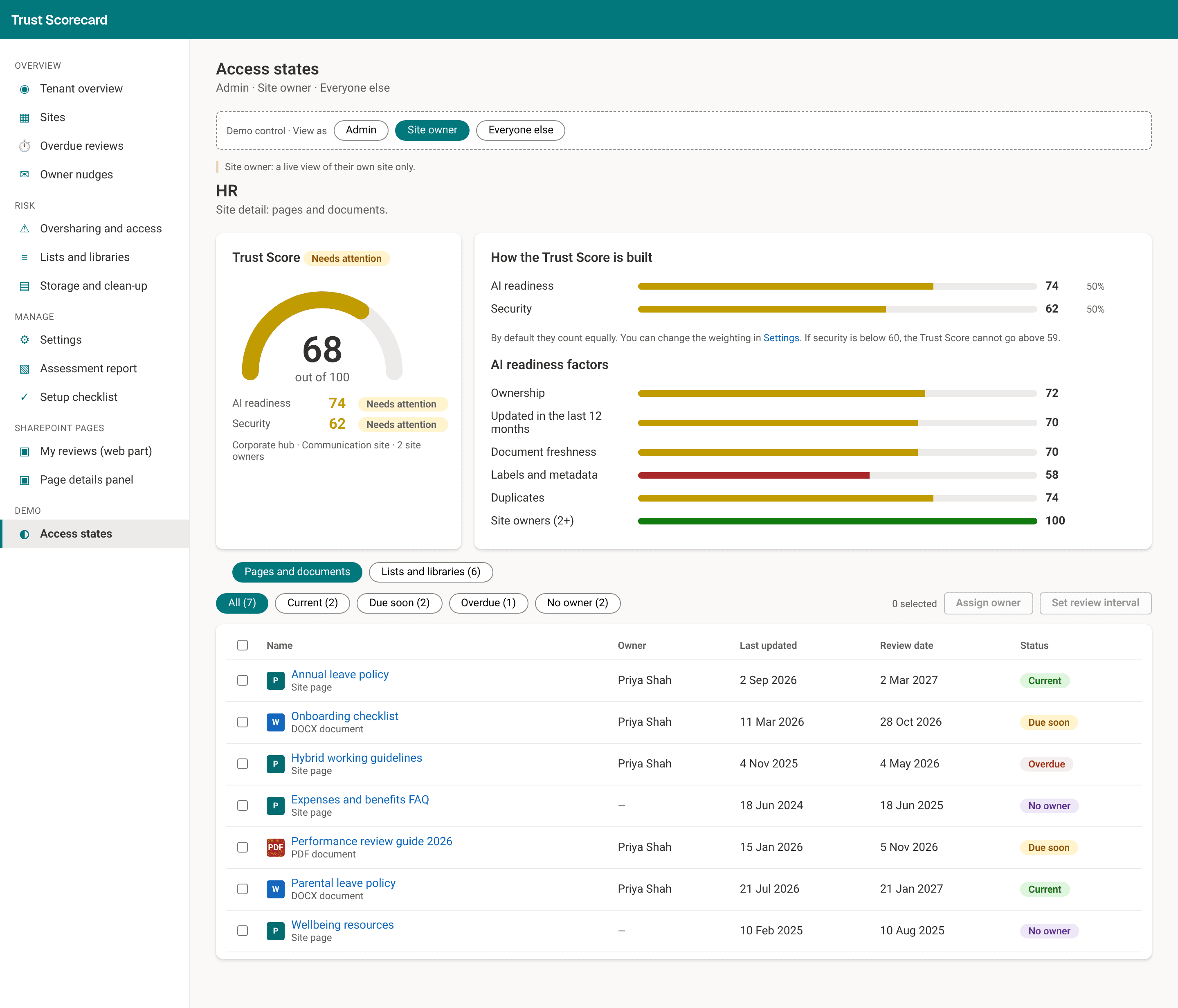
AI readiness measures whether content has a current owner, has been updated in the last 12 months, has labels and metadata, and is free of duplicates. It also checks that each site has at least two owners. Security measures how widely content is shared: Anyone links, sites open to everyone in the organization, links with no expiry date, guests, files shared with individuals instead of groups, and sites with many unique permissions. Scores fall into three bands: Good (80 and above), Needs attention (60 to 79), and At risk (under 60).
What we add to SharePoint
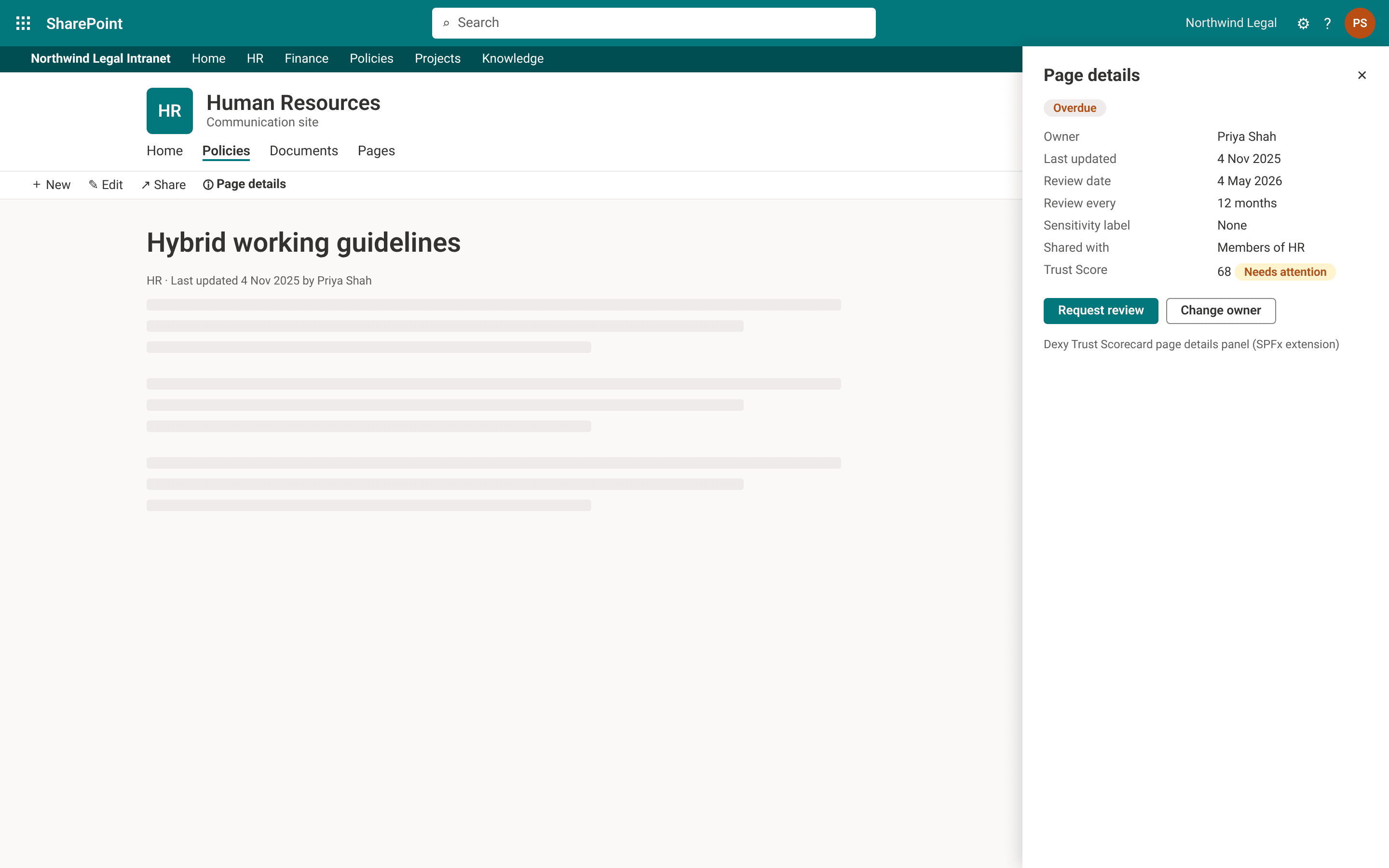
- A named owner and a review date for each page and document that needs one.
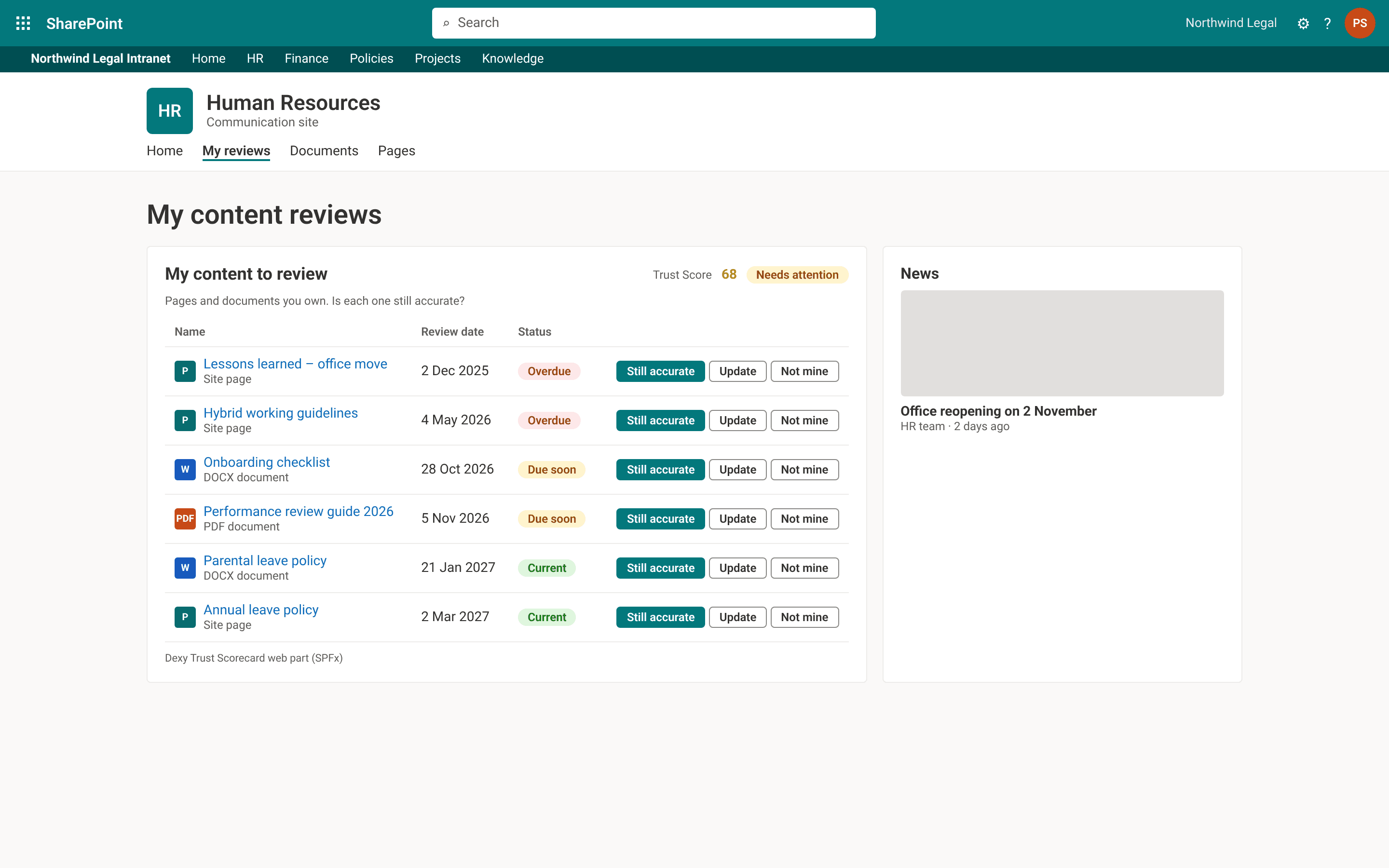
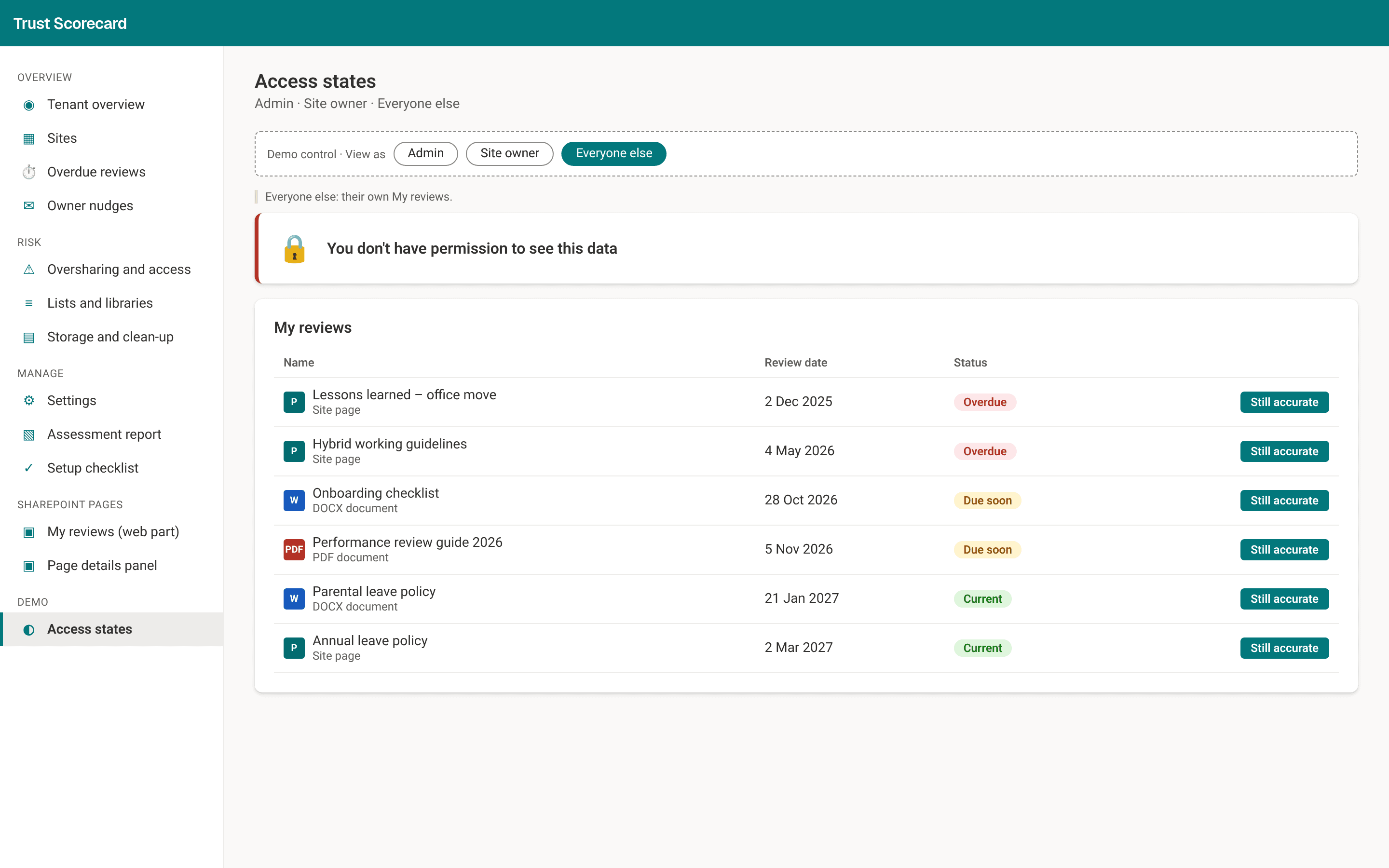
- A "due for review" list for each owner, with a one-click "Still accurate" button.
- Reminders in Microsoft Teams, escalated to the site owner if nobody responds.
- Duplicate, out-of-date, and abandoned content flagged, so owners can update or remove it before Copilot answers from it.
- A Trust Score for each site and for the whole organization, with AI readiness and security shown underneath.
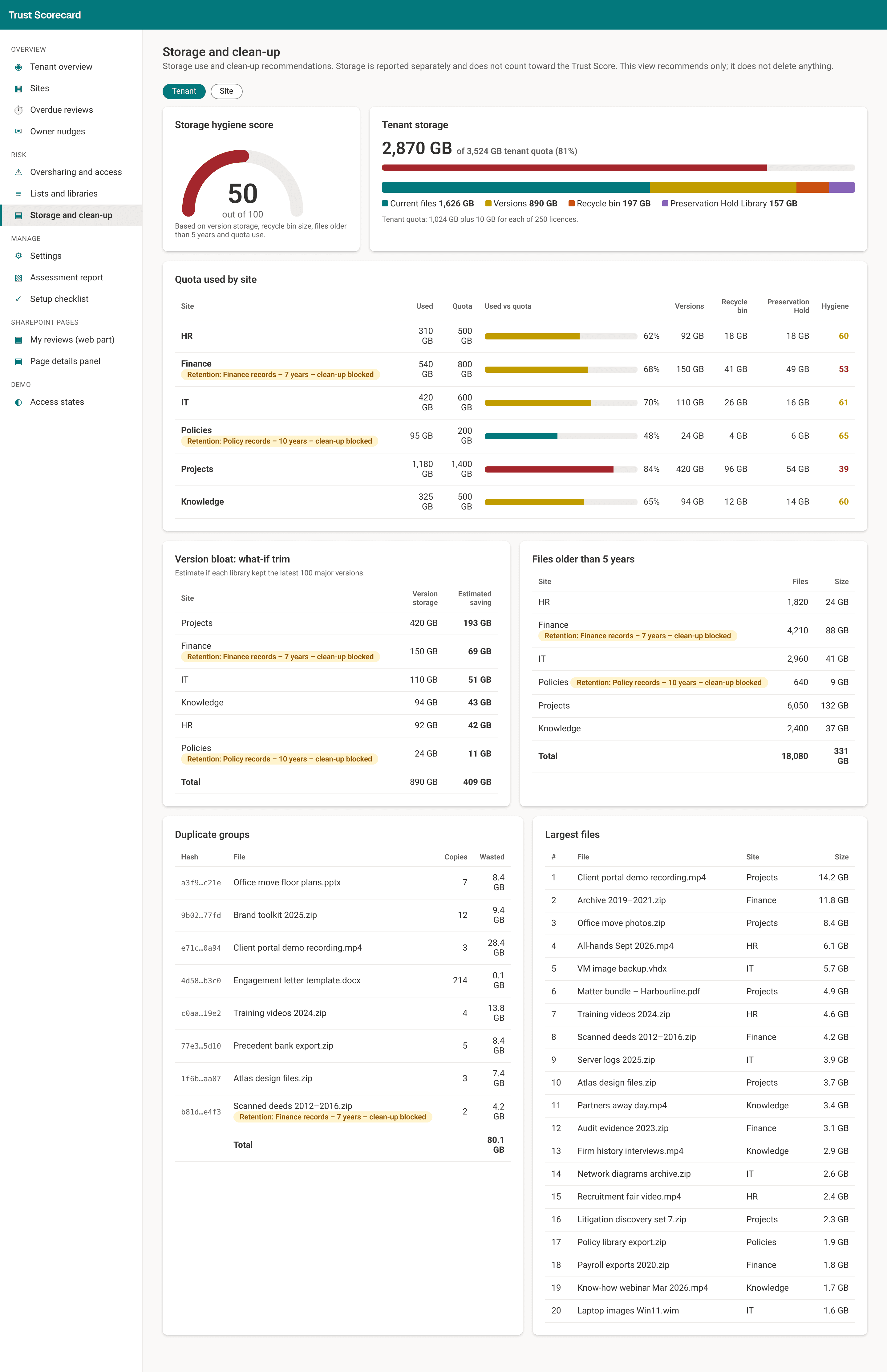
- A report on lists and libraries across the organization, flagging ones that are stale, very large, or have their own permissions.
- A storage report with an estimate of the space clean-up could free. It makes recommendations only and never deletes anything.
- It runs inside your own Microsoft 365. Nothing is hosted by us. People see dashboard data for their role, and files stay in your Microsoft 365.
How the service works
Copilot gives better answers when the pages it reads are current and someone is responsible for them. Most SharePoint sites have no record of who owns a policy page or when it was last checked, so out-of-date guidance stays live and nobody is asked to fix it. The Dexy Trust Scorecard adds that record, then keeps owners on schedule.
- We build it for your organization. As part of the project, we set up the Dexy Trust Scorecard in your own Microsoft 365, agree which sites to include, and choose how often each type of content is reviewed: every 3, 6, 12, or 24 months.
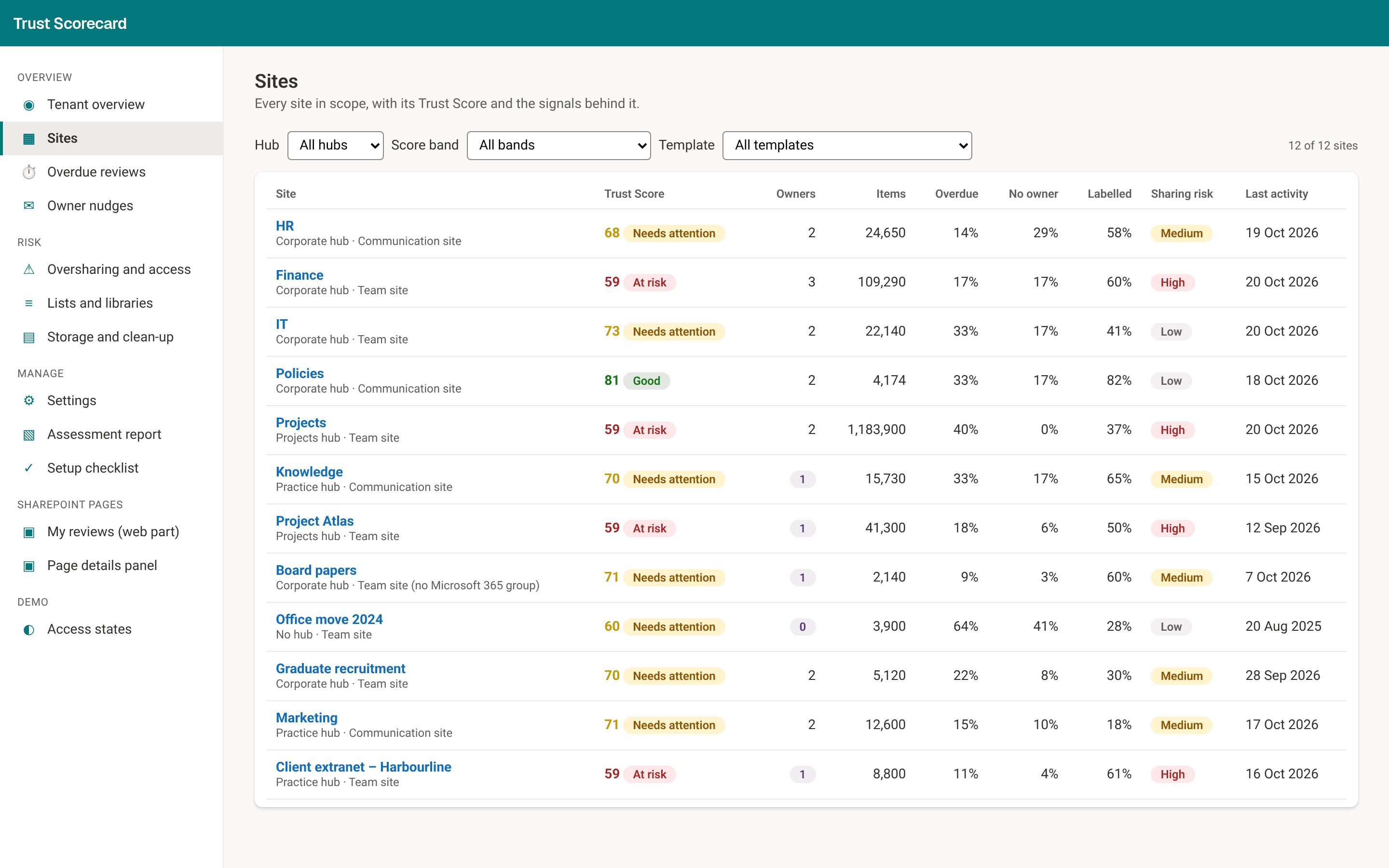
- The first scan scores every site. You get the Trust Score, with AI readiness and security underneath, for the organization and for each site, with the lowest-scoring sites listed first.
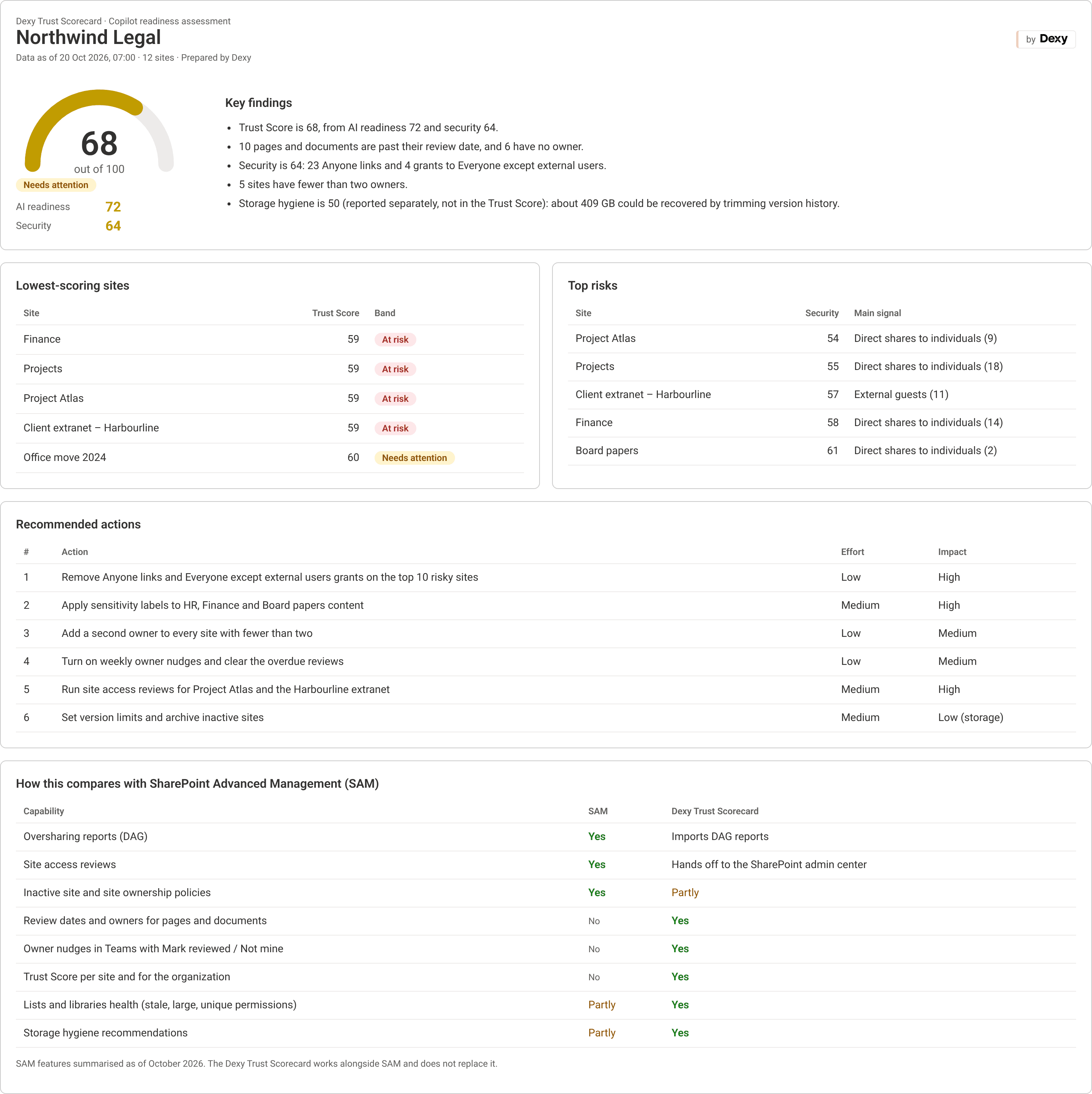
- You get an assessment report. It lists the main findings, the riskiest sites, and recommended actions ranked by effort and impact, and you can print it or save it as a PDF.
- Owners keep content current. They get reminders before content is due, confirm it is still accurate or update it, and reassign anything that is not theirs. You can rescan at any time, and the overview shows how the Trust Score has moved over the last eight weeks.
If you want help with the fixes the report recommends, we scope that work on the same call.
Dashboard screenshots
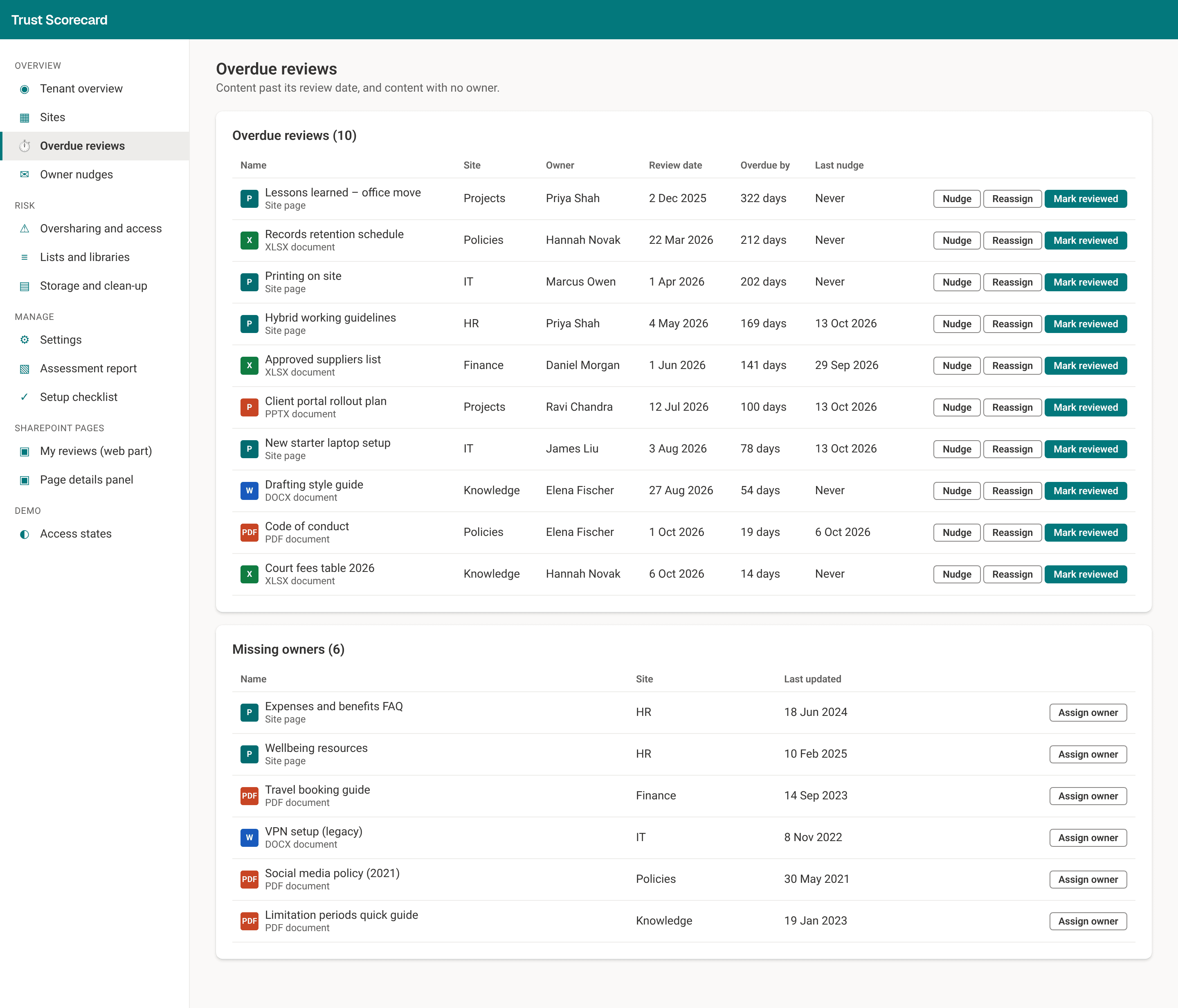
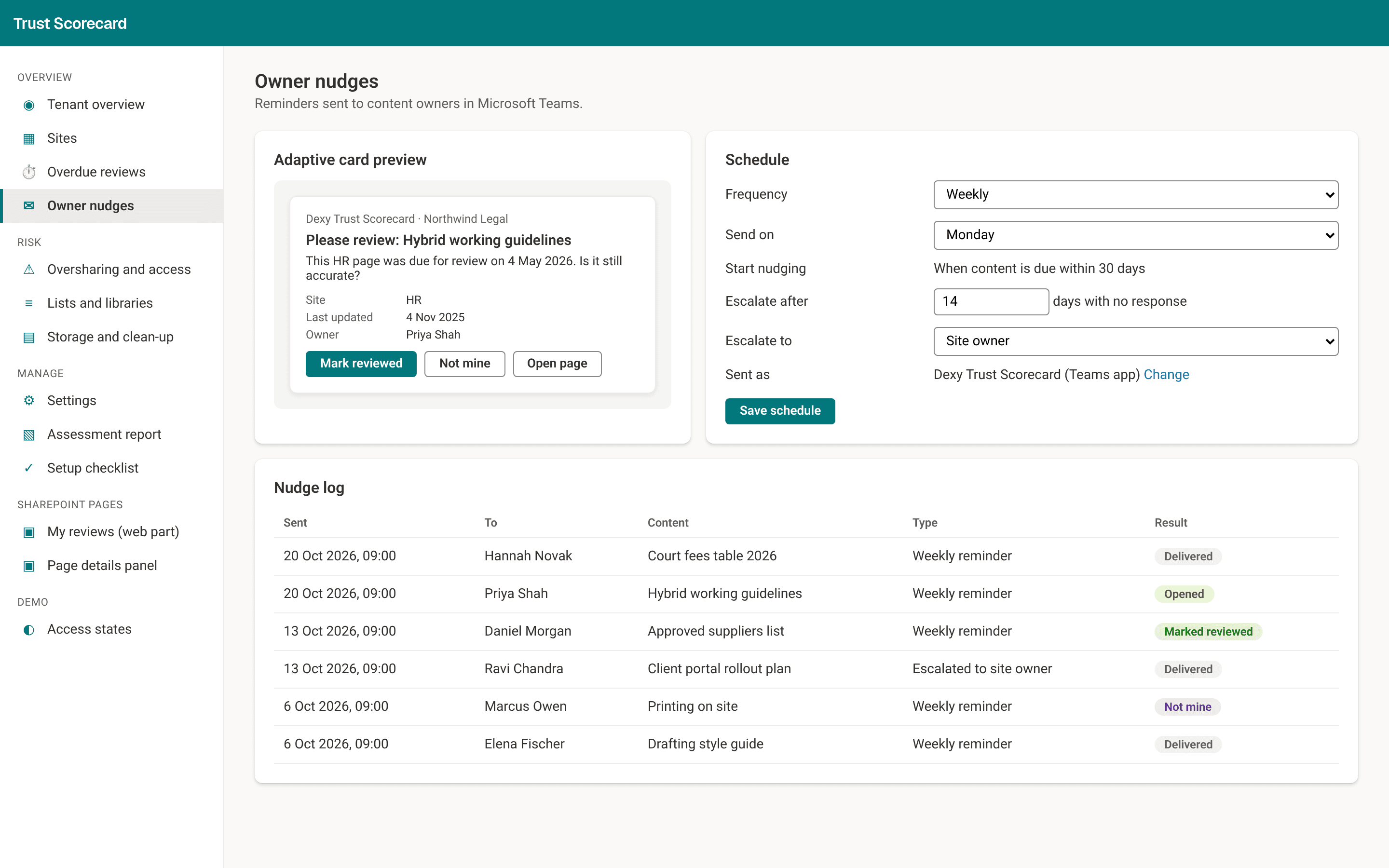
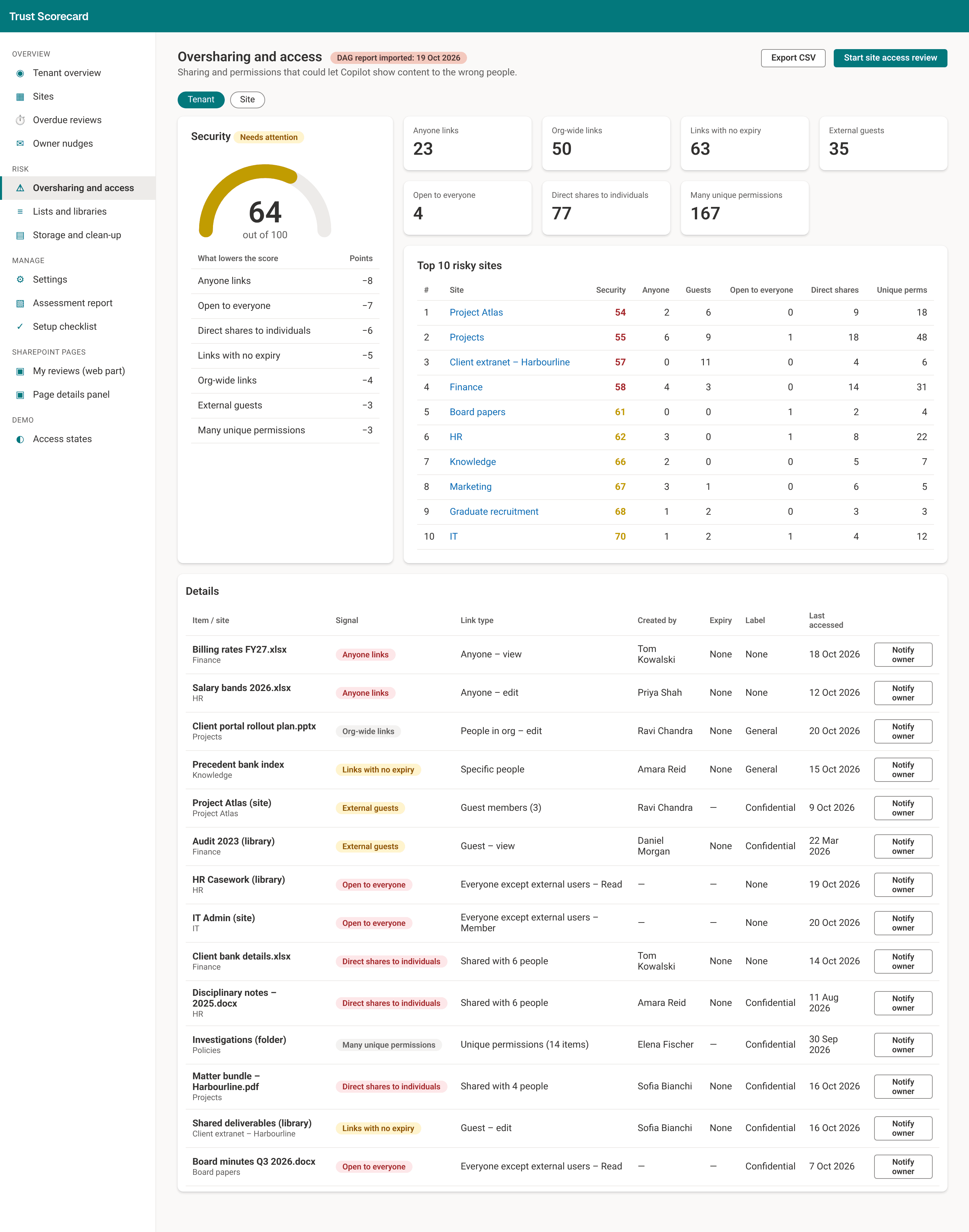
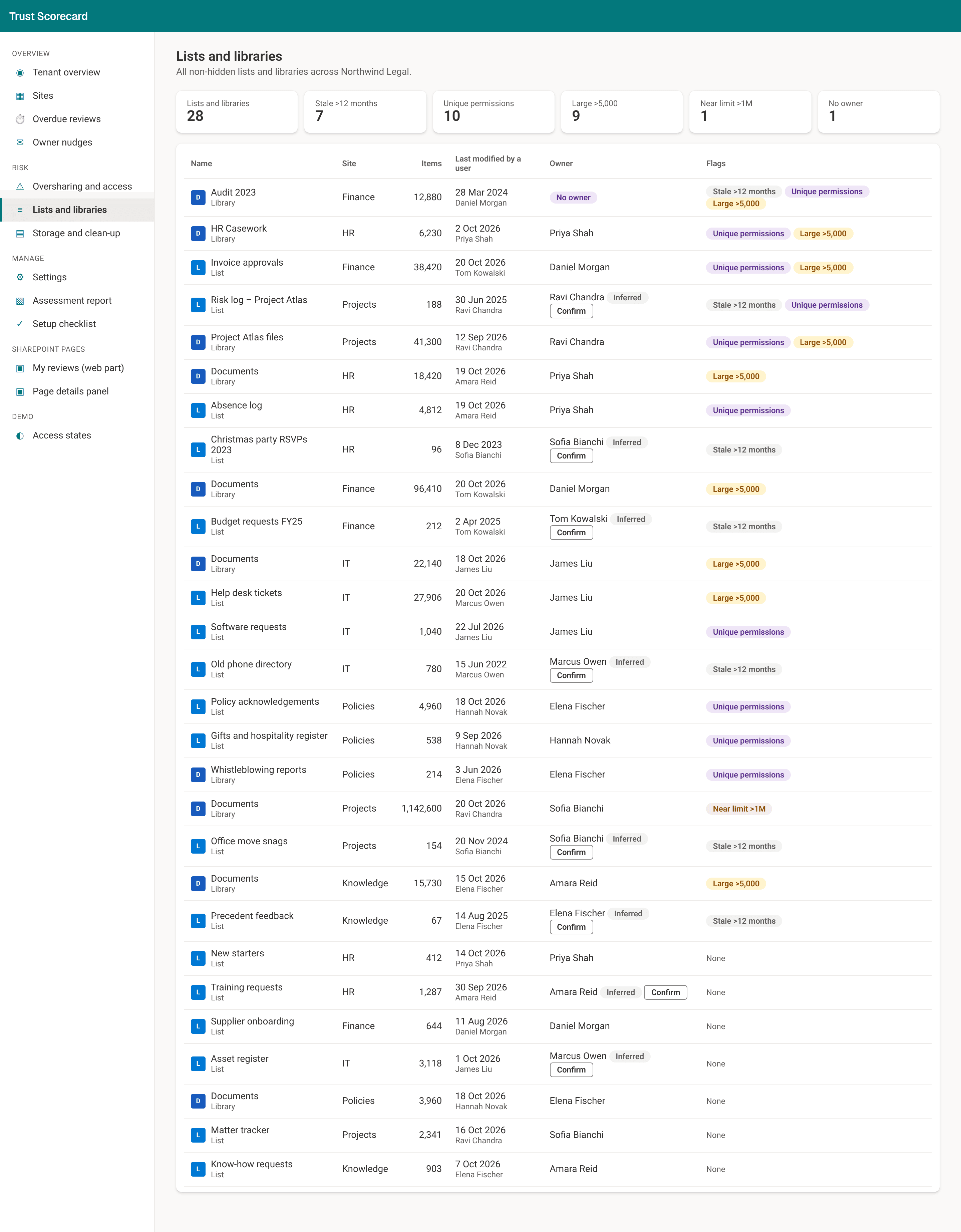
What site owners and staff see
Owners review their content where they already work, on the SharePoint site itself. Nobody needs to learn a new tool to say a page is still right.
How it works with SharePoint Advanced Management
If at least one person in your organization is assigned a Microsoft Copilot license (the paid add-on, not Microsoft Copilot Chat), your SharePoint admins automatically get SharePoint Advanced Management. A few of its features still need the standalone SharePoint Advanced Management add-on, or an E5 or G5 license. Organizations without Copilot can buy SharePoint Advanced Management separately. Its tools focus on access, and they work site by site: reports on who can see what, site access reviews, and policies for inactive sites and sites with too few owners. We recommend using them.
The Dexy Trust Scorecard works alongside SharePoint Advanced Management and does not replace it. You can import the data access governance reports from SharePoint Advanced Management, and from the oversharing view go through to the SharePoint admin center to start a site access review. What the Dexy Trust Scorecard adds is at the level of each page and document: an owner, a review date, reminders, and reports on lists and storage. The assessment report includes a side-by-side comparison.
Sample assessment report
See the format and depth of a full assessment before you talk to us. The sample report shows the Trust Score for Northwind Legal, the AI readiness and security scores behind it, each finding with its evidence and the fix, and the licenses each fix needs.
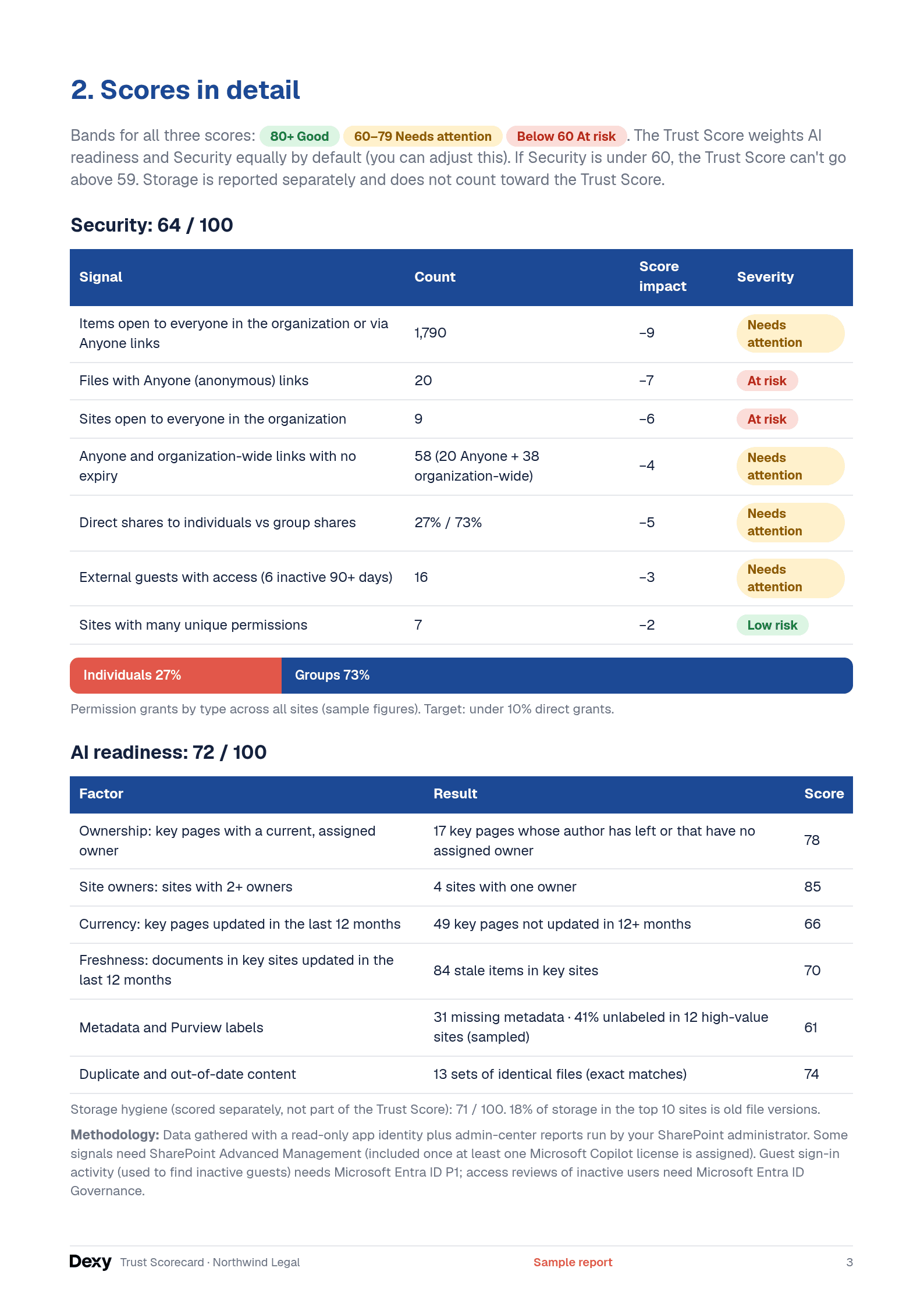
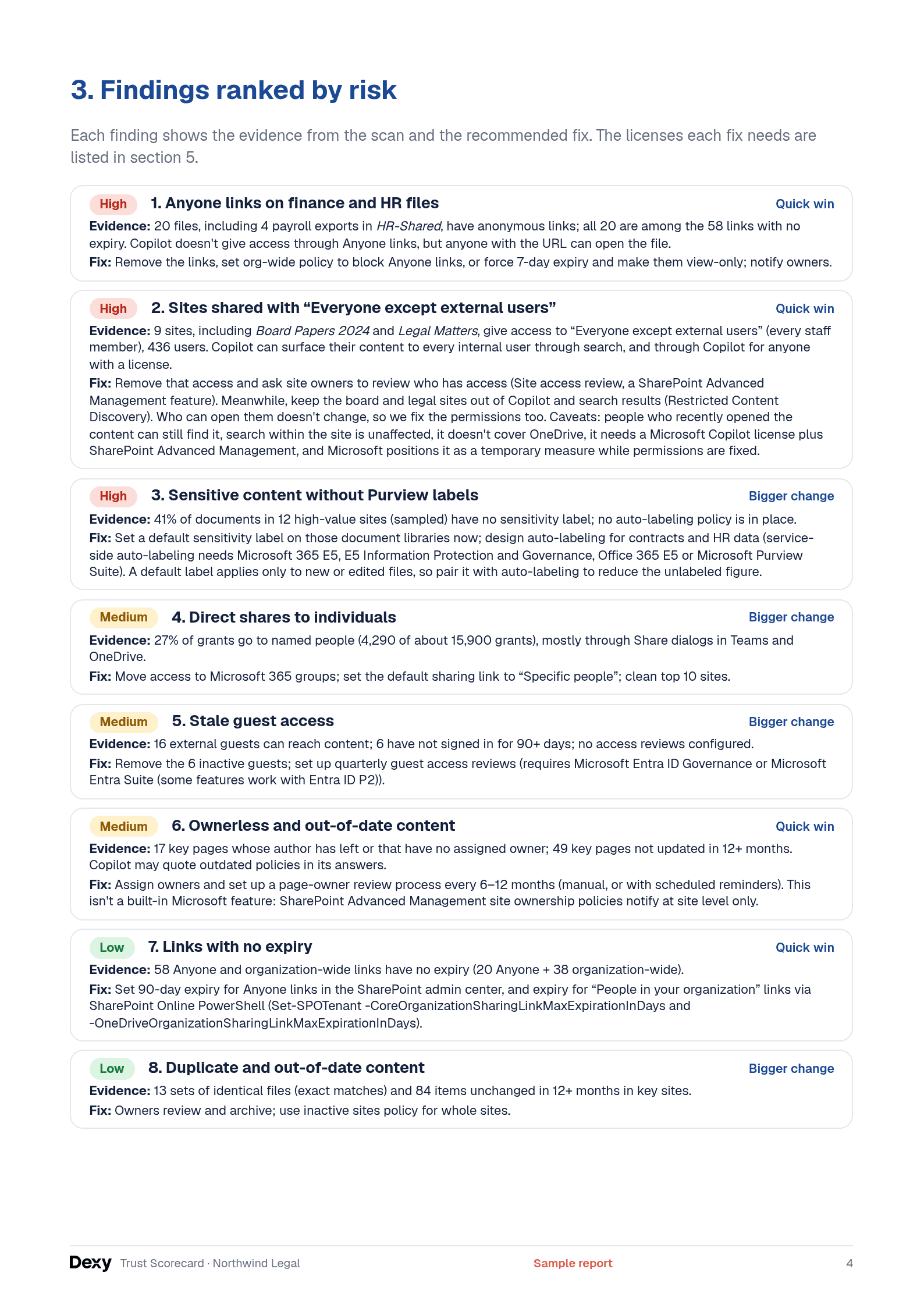
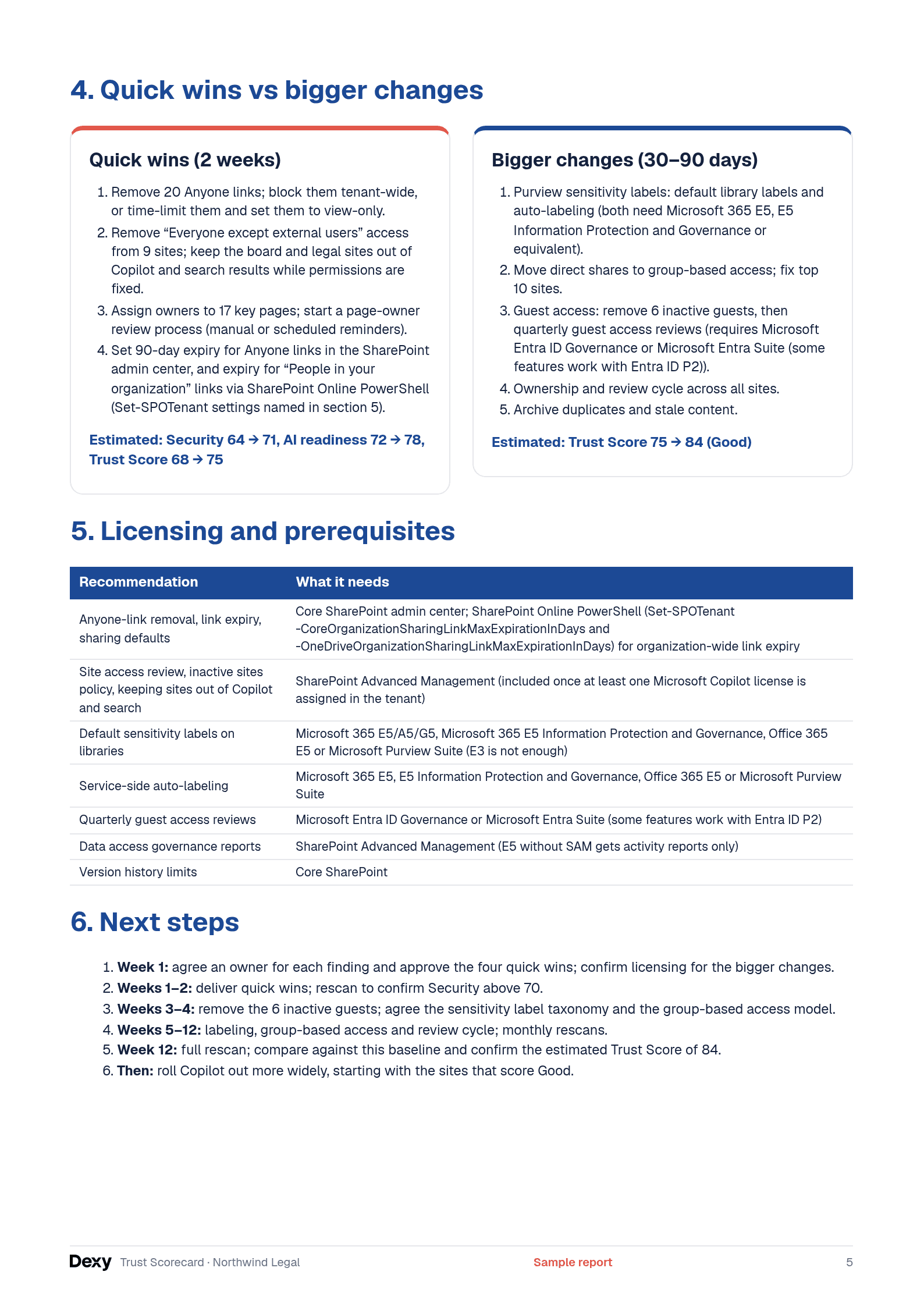
The sample report is for Northwind Legal.
Download the sample report (PDF, 5 pages) →Questions
Can we install it ourselves?
No. We build the Dexy Trust Scorecard for your organization as part of the project and set it up in your own Microsoft 365. We agree with your IT team which sites are scanned and what access the scan needs, and we run the first scan with you.
Does it change permissions or delete files?
No. The storage view recommends clean-up and never deletes anything. Owners and admins decide what to change, and SharePoint Advanced Management runs any site access review.
Where are the results stored?
In hidden lists on an admin site in your own Microsoft 365. Nothing is hosted by us.
Who can see the scores?
Admins see everything. Site owners see their own site. Everyone else sees only the content they have been asked to review.
Find out how ready your content is for Copilot
We usually reply the same day in business hours. The next step is a short scoping call.